Document Type | Technical Information
Category | Utility
Document Number | TUTTI015
Overview
This guide explains how to use the various features for extracting Table Data.
NoteTesting was conducted in the following environment.
Method
Preparation
Create a table to generate test data and insert 10,000 random records.
tbsql tibero/tmax

CREATE TABLE load_test (
    a NUMBER,
    b VARCHAR(10),
    c VARCHAR2(10),
    d DATE,
    e TIMESTAMP
);

INSERT INTO load_test
SELECT
    dbms_random.normal,
    dbms_random.string('A', 10),
    dbms_random.string('P', 10),
    SYSDATE,
    SYSTIMESTAMP
FROM dual
CONNECT BY LEVEL <= 10000;

COMMIT;
tbexport
- Command: tbexport username=sys password=[tibero] sid=[tibero] table=tibero.load_test file=load_test.dat script=y log=load_test.log
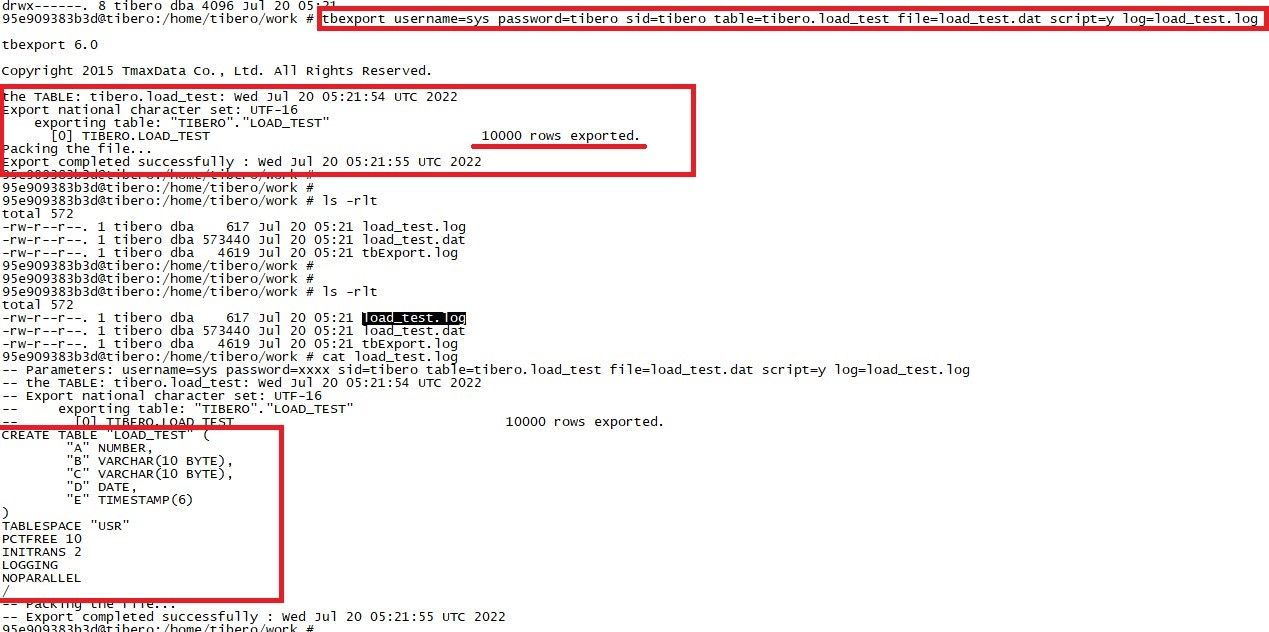
- You can check the number of exported table rows and the table creation statement.
- For more detailed tbexport options, use tbexport –h.
tbsql
export query
- Command: export query ‘[extraction file path]’ fields terminated by ‘[field delimiter]’ enclosed by ‘[field enclosure delimiter]’ lines terminated by ‘[line terminator]’
- Field delimiter, field enclosure delimiter, and line terminator can be omitted.
ex) export query ‘/home/tibero/work/load_test.dat’ fields terminated by ‘,’ enclosed by ‘”’ lines terminated by ‘/n’
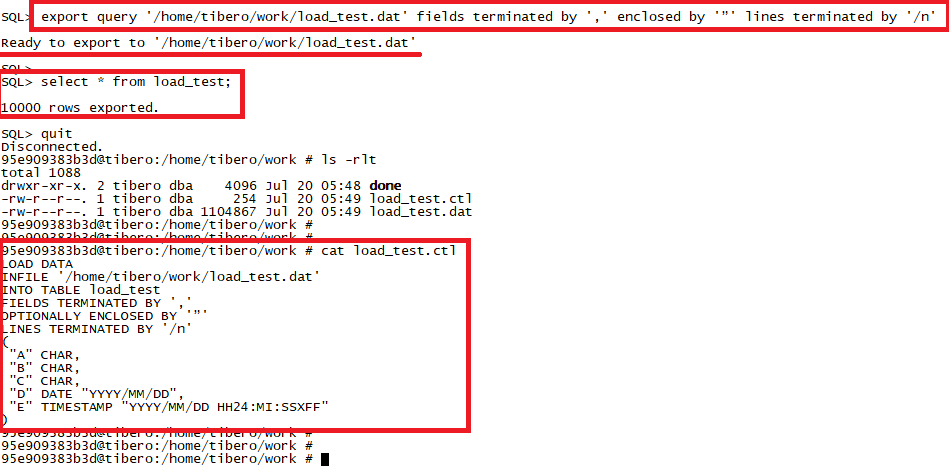
- After executing the export query statement, run the data retrieval query for the data to be extracted.
- When extraction is complete, a .ctl file reflecting the options set in the export query statement is created.
export table
- Command: export table [schema.table_name]
ex) export table tibero.load_test
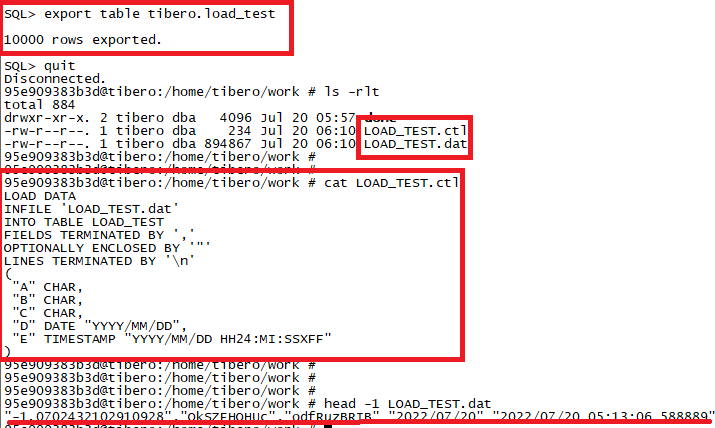
- .ctl and .dat files are automatically created with the extracted table name.
load
- Command: load ‘[extraction file path]’
ex) load ‘/home/tibero/work/load_test.dat’
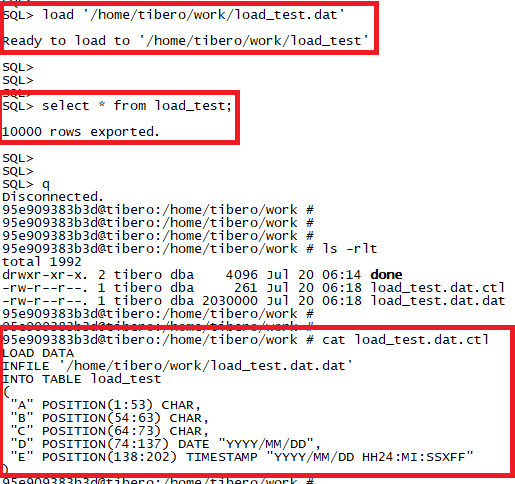
- After executing the load statement, run the data retrieval query for the data to be extracted.
- .ctl and .dat files are created. (.dat extension is added automatically.)
- The format differs from the .ctl files generated by export query and export table statements.
spool
- Command: spool ‘[extraction file path]’
ex) spool ‘home/tibero/work/load_test.dat’
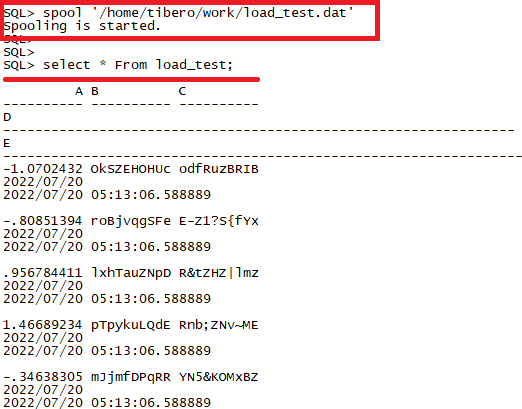
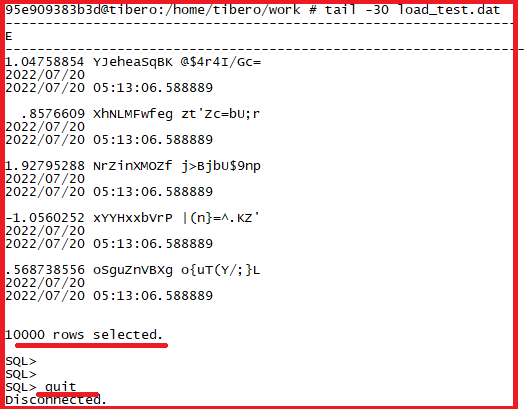
- After executing the spool statement, run the data retrieval query for the data to be extracted.
- When the tbsql connection is disconnected, the extraction file is created at the specified path.
- Since the terminal screen output is directly written to the file, consider lines, pages, etc.