Document Type | Technical Information
Category |Administration
Applicable Product Version | T7, T6
Document Number | TADTI132
Overview
This document explains the connection methods between servers and storage (DAS, NAS, SAN) and the concept of RAID configuration.
Method
Storage hardware view
Connecting Storage and Server
- Also called controller, enclosure, or node canister.Controllers are physically redundant as A and B. (Redundancy causes multipath)
-
The controller groups disks into arrays (RAID) and also performs disk read/write operations.
Comparison of storage connection methods
DAS(Direct Attached Storage)
When storage and server are directly connected, it is called DAS (Direct Attached Storage).
NAS (Network Attached Storage)
When storage and server are not physically directly connected,
it is a high-capacity storage device connected to the network.
This type of storage provides file-level data to devices connected over the network.
SAN(Storage Area Network)
When storage and server are not physically directly connected,
they are connected via a SAN switch in the middle,
making it appear to the operating system as if it is directly connected like DAS.
The difference from NAS is that SAN provides blocks instead of a file system.
| Category | DAS (Direct-Attached Storage) | NAS (Network-Attached Storage) | SAN (Storage Area Network) |
|---|---|---|---|
| From OS perspective | Local disk | File server shared folder | Local disk |
| Connection | Directly connected to server | Network connection method | Network connection method |
| Unit provided | Block | File | Block |
| File system location | Server | NAS device | Server |
| Main interface | SATA, SAS, NVMe | NFS, SMB/CIFS, AFP, etc. |
RAID (Redundant Array of Independent Disks)
A storage configuration that logically groups multiple physical disks to improve performance and reliability.
It implements reliability and performance improvements using the concepts of parity, mirroring, and striping.
- Striping: A method in RAID structures that distributes data across disks.
-
Parity: Data for data loss protection.
Parity is generated through XOR operation on the strip data of the disks.
The result of XOR operation on strip data is saved for recovery and damage protection.
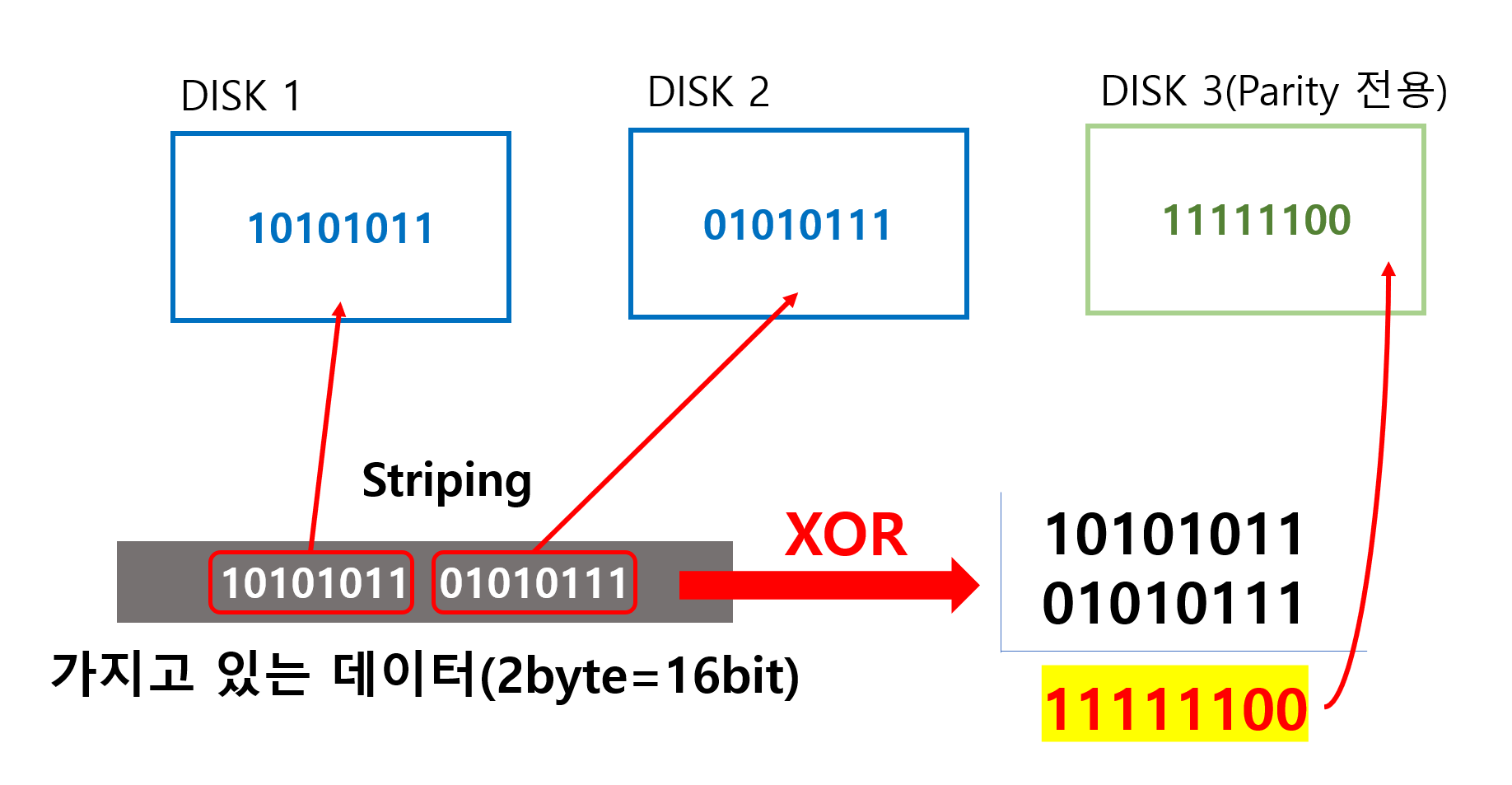
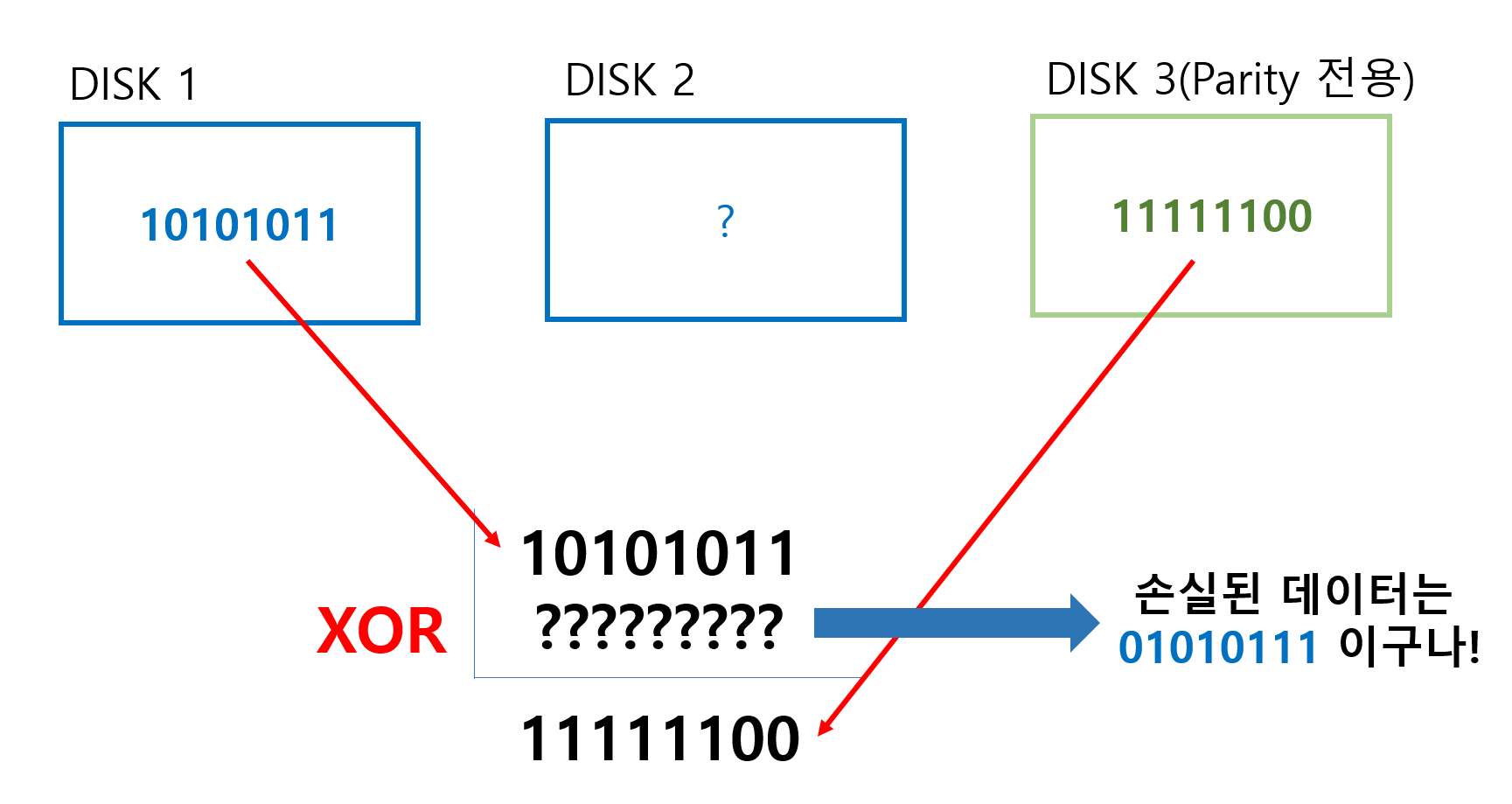
- Mirroring: Replicates and stores data on disks so that even if one side is damaged, the disk can still be used or read simultaneously.
RAID 0

- Data is evenly divided and stored across two or more disks.
- No parity, no mirroring; if one drive fails, the entire array fails.
-
A RAID 0 array with n drives can be read simultaneously,
providing up to n times faster data read and write speeds than individual drives.
RAID 1

- Creates copies (mirroring) by configuring data on two or more disks.
- Read requests can be serviced and processed by all drives in the array.
- Write performance is at the level of a single disk.
- Used when read performance or reliability is more important than write performance or data storage capacity.
RAID 5
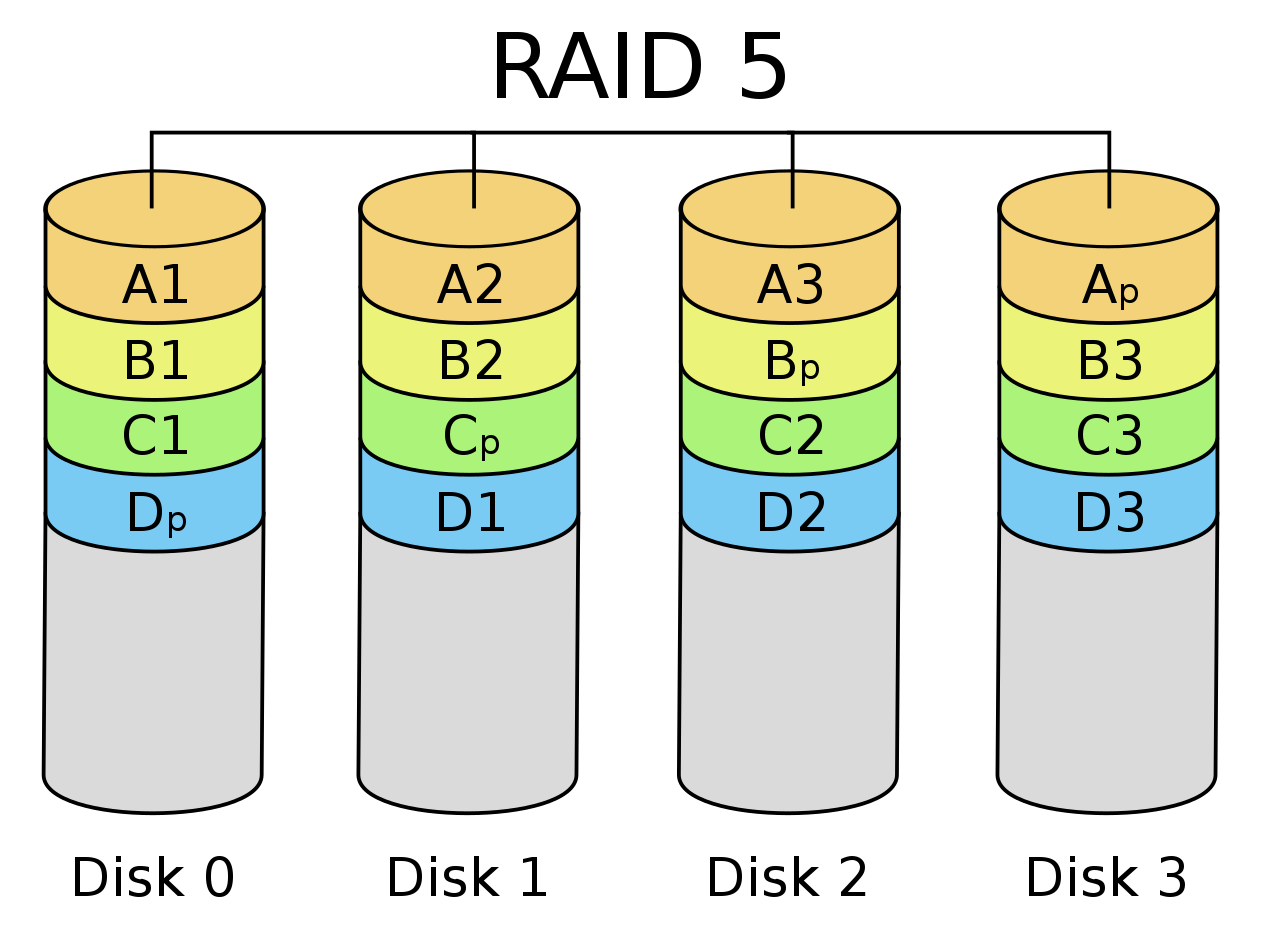
- Parity is distributed across all drives so that even if a single drive fails, there is no total data loss.
- Requires at least 3 disks.
- Since parity is distributed, there is no bottleneck caused by parity write load.
-
Parity writes occur when part of a stripe changes.
RAID 6

- Adds a second parity block to the RAID 5 method.
- That is, double distributed parity.
- Because parity blocks are stored on two disks simultaneously, RAID 6 can continue reading and writing even if two disks fail at the same time.
RAID 01 (0+1)

- Mirroring (RAID 1) of a striped (RAID 0) set; that is, mirroring (RAID 1) the drives that are striped (RAID 0).
- If DISK 0 and 1 fail, recovery is possible through DISK 2.
- If DISK 0 fails and then DISK 2 fails, recovery is not possible.
- Guarantees against failure of one disk, but depending on the location of the second disk failure, the entire RAID may become unusable.
RAID 10 (1+0)
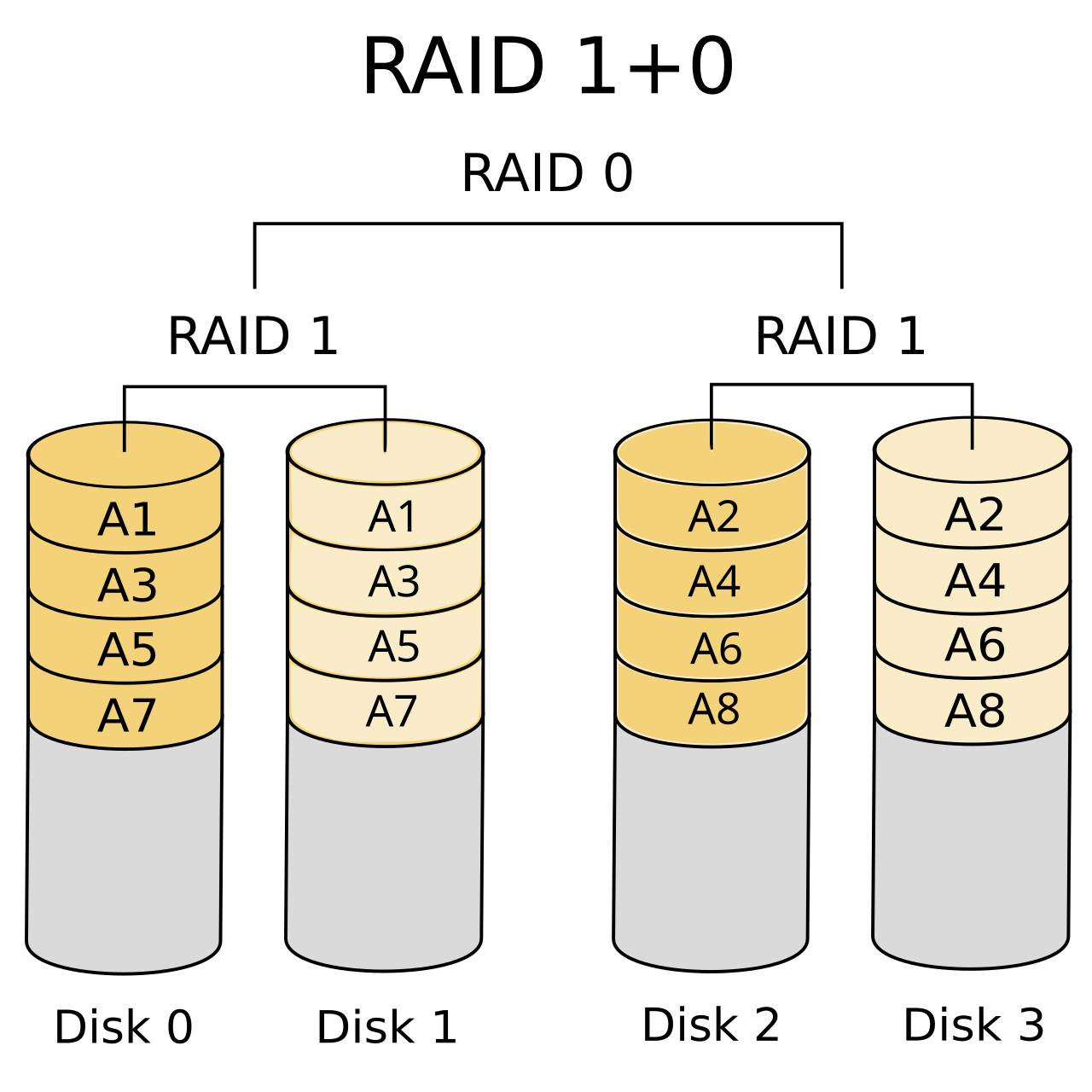
- RAID 10 creates pairs with mirroring (RAID 1) and then stripes them (RAID 0).
- Striping after mirroring.
- If the same mirror set fails (DISK0, DISK1), recovery is not possible.
- The more mirrors (RAID 1) in a set, the more disk failures can be tolerated.
| Level | Description | Minimum configuration | Number of tolerated failures |
| RAID 0 | Block-level striping with no parity or mirroring | 2 | Not allowed |
| RAID 1 | Mirroring with no parity or striping | 2 | n - 1 DISK |
| RAID 5 | Block-level striping with distributed parity | 3 | 1 DISK |
| RAID 6 | Block-level striping with double distributed parity | 4 | 2 DISK |
| RAID01 | Mirroring (RAID 1) of a striped (RAID 0) disk | 4 | 1 DISK (conditional) |
| RAID10 | Striping (RAID 0) of mirrored (RAID 1) disks | 4 | 1 DISK (conditional) |