Document Type | Troubleshooting
Category | Interface/Integration
Document Number | TIITS014
Issue
While setting up a [New Linked Server] by right-clicking [Linked Servers] under [Server Objects] in [Microsoft SQL Server Management Studio], the error "Microsoft SQL Server, Error (ERROR): 7304" occurs as shown below.
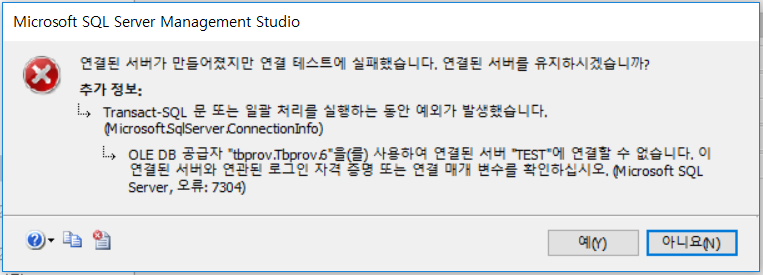
Cause
This occurs because the login account is not set under [New Linked Server] - [Security] - [Be made using this security context].
Solutions
Check OLEDB and MSSQL related settings.
OLEDB Settings (tibero.udl)
Verify proper operation through connection testing.
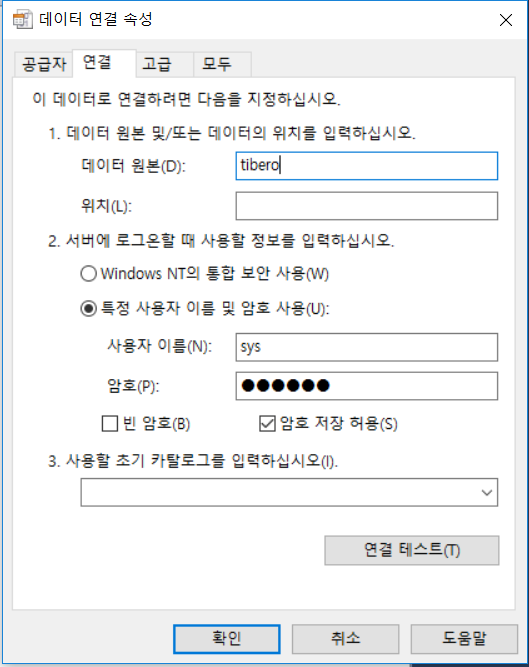
MSSQL Linked Server Settings
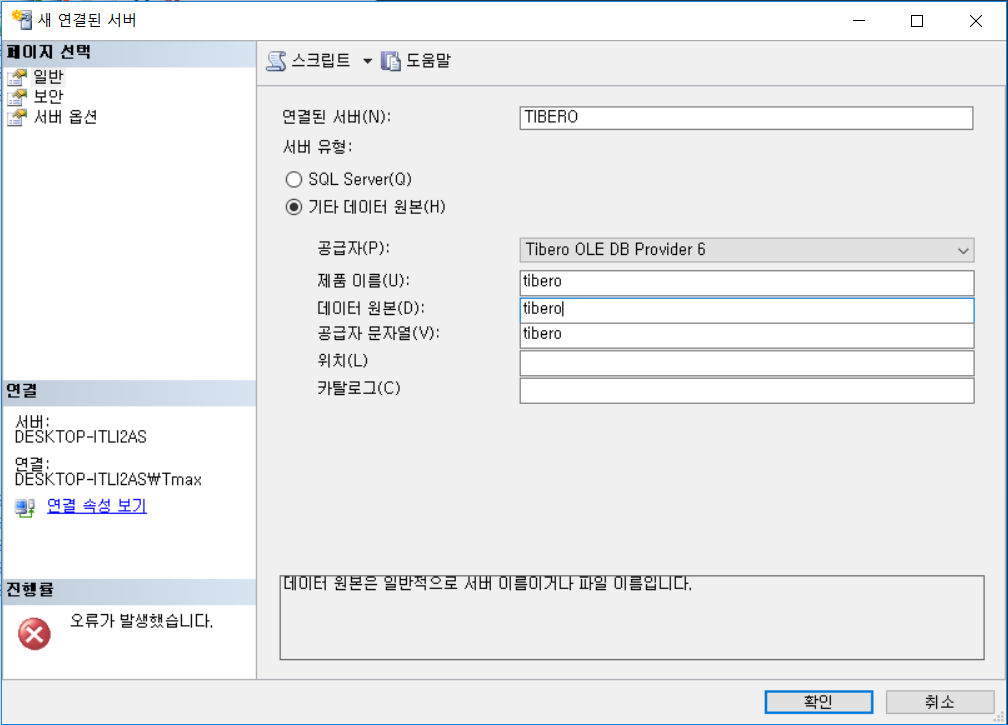
[New Linked Server] - [General] Tab
- Linked server (N): Specify the name to be displayed as the linked server in MSSQL.
- Provider: Select the Tibero OLEDB Provider.
- Data source: Enter the data source name set in tibero.udl.
- Provider string: Enter the TB_SID value of the server.
[New Linked Server] - [Security] Tab
Enter the account information to be used for Tibero connection under [Be made using this security context].